
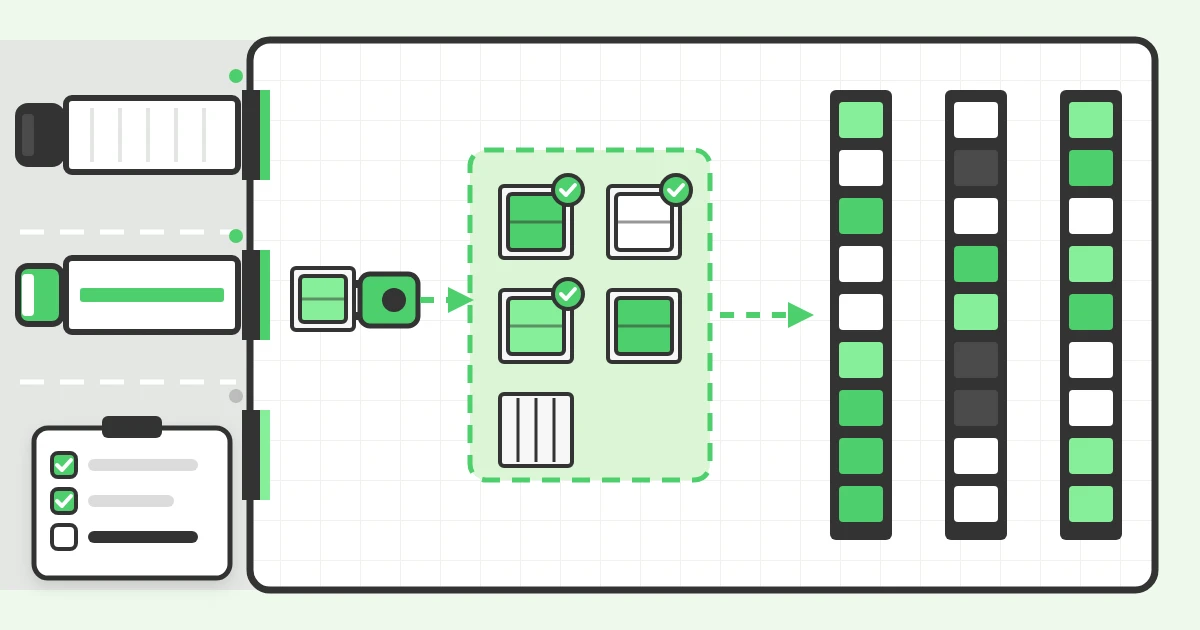
The warehouse receiving process is everything that happens between a supplier's truck arriving and the goods being available in stock: check-in, unloading, checking against the order, inspection, recording and putaway. Most guides start the process when the truck arrives. We start it earlier, when the delivery is booked, because in our experience, problems on the dock floor usually go back to a truck nobody planned for.
This guide is our advice on running receiving well, written from working with warehouses that schedule their inbound trucks with LoadingCalendar. It covers the steps, the places receiving usually breaks, the practices we recommend and a checklist you can adapt.
What is the warehouse receiving process?
Warehouse receiving is the process of accepting inbound goods, confirming they match what was ordered and making them available in inventory. It covers the physical work at the dock (unloading, counting, inspecting) and the paperwork behind it: the purchase order, the advance shipping notice, the bill of lading and the receipt in your WMS or ERP.
Receiving deserves more attention than it usually gets, because its mistakes travel. A short delivery received as complete turns into a stockout in picking. A damaged pallet signed for without a note turns into a claim that's hard to win. A truck kept waiting at the gate turns into a detention invoice next week.
What are the steps of the warehouse receiving process?
We split receiving into seven steps. Smaller warehouses often merge a few of them, which is fine as long as none is skipped.
1. Book the delivery
The supplier or carrier books a time slot at a dock before the truck leaves. The booking should carry what you need to prepare: the purchase order or reference number, what is coming, the carrier and ideally the driver's phone and registration plate. With a carrier booking portal, carriers pick a free slot themselves instead of calling or emailing your team.
2. Prepare for arrival
Check the day's bookings before the trucks come. Is the purchase order still open? Is there space in the receiving area? Are there enough people and forklifts for the hour when three trucks are due at once? An advance shipping notice (ASN) from the supplier helps here, because you know the contents before the doors open.
3. Check in the truck
When the driver arrives, match them to a booking by reference, carrier or registration plate, record the arrival time and send the truck to its door. Recording the arrival time is easy to skip on a busy morning, and it is the one you need when a carrier disputes waiting time.
4. Unload
Unload at the assigned door and record when unloading starts and finishes. Keep the goods in a staging area next to the dock. Nothing should go into the racks before it has been checked.
5. Check against the paperwork
Count what arrived and compare it with the purchase order, the ASN and the bill of lading or packing slip. Write any overage, shortage or damage (OS&D) on the bill of lading before the driver signs and leaves. Once the driver is gone, a shortage is your word against the carrier's.
6. Inspect and record the receipt
Check quality where your products need it: temperature for chilled goods, expiry dates, batch or serial numbers, packaging. Then post the receipt in your WMS or ERP so the stock becomes available and accounts payable can match the supplier's invoice.
7. Put away
Move the goods from staging to their storage location and confirm the location in the system. The time from truck arrival to goods available in stock is your dock-to-stock time, the measure we'd watch first to judge how well receiving works.
Where does the receiving process usually break?
Most receiving teams know the steps. The trouble is that work arrives in a shape they can't plan for. These are the problems we hear about most from warehouses before they start scheduling their docks:
- Trucks that arrive unannounced. If suppliers just show up, you can't plan doors or labor. The receiving team spends the morning reacting instead of preparing.
- Everyone arriving at the same time. Many carriers want the early slots, so the first hours of the day become a queue while the afternoon stays quiet. The same doors and people have to absorb the whole peak.
- Double-booked doors. When bookings live in a spreadsheet, an inbox and someone's memory, two trucks get the same door at the same time and one of them waits. Here is how to stop double-booking warehouse docks.
- Missing or wrong paperwork. No PO number, no packing slip, the wrong reference. The truck is at the door, nobody can tell what the delivery belongs to, and the driver waits while someone calls purchasing.
- Discrepancies found after the driver has left. Checks happen in a rush, the driver signs out, and the shortage turns up during putaway. Without a note on the bill of lading, the claim is hard to win.
- Goods stuck in staging. Unloading keeps pace but putaway falls behind. The staging area fills up and there is no room left to unload the next truck.
Four of these six start before the truck reaches the dock. That is why booking is step one in our version of the process.
What are the best practices for warehouse receiving?
These are the practices we recommend, roughly in the order we would introduce them.
- Require a booking for every inbound delivery. Make it the rule with suppliers and carriers: no booking, no guaranteed unloading time. Hold the line for a few weeks and it usually sticks. Make booking easy, though, or carriers will keep calling.
- Set slot lengths by load type. A full trailer of mixed pallets doesn't need the same time as a van with three parcels. Define a handful of load types with realistic durations so the calendar matches the time trucks really spend at the door.
- Spread arrivals across the day. Limit how many trucks can book the same hour, or keep the early slots for loads that need them. An even flow of arrivals is far easier to staff than a morning peak.
- Collect the paperwork with the booking. Ask for the PO or reference, and documents like the packing slip or bill of lading, when the slot is booked rather than at the door. Problems then show up a day early instead of with a driver waiting.
- Record three timestamps for every truck. Arrived, unloading started, unloading finished. Together they show who arrived late, how long trucks waited and where your dock time goes. Without them, every argument about waiting time is opinion against opinion.
- Check before the driver leaves. Count pallets and look for visible damage while the driver is still on site, and write any exception on the bill of lading. Detailed counts and quality checks can follow in staging.
- Use drop trailers for large, regular suppliers. If a supplier sends full trailers on a steady schedule, a drop trailer lets you unload when you have capacity instead of when the driver arrives. Our guide to live load vs drop trailer explains when the trade is worth it.
- Keep the staging area clear. Set a putaway target, for example within the same shift. When staging is full, slow down new bookings instead of stacking goods in the aisles.
Warehouse receiving checklist
Use this as a starting point and adapt it to your products. A receiving team should be able to answer yes to every line.
| Stage | Check |
|---|---|
| Before arrival | The delivery is booked to a dock and a time slot |
| Before arrival | The booking has a PO or reference number and the order is open |
| Before arrival | ASN, packing slip or bill of lading received or requested |
| Before arrival | People, forklift and staging space planned for the slot |
| Check-in | Driver matched to the booking and arrival time recorded |
| Check-in | Truck assigned to a door |
| Unloading | Unloading start and finish times recorded |
| Unloading | Pallet count and visible damage checked before the driver signs out |
| Unloading | Any overage, shortage or damage written on the bill of lading |
| After unloading | Quantities, batches and expiry dates checked against the PO |
| After unloading | Receipt posted in the WMS or ERP |
| After unloading | Goods put away and storage location confirmed |
How do you measure warehouse receiving performance?
Four numbers cover most of what a receiving manager needs to know. All of them come from the times and checks described above.
| Metric | What it tells you | How to measure it |
|---|---|---|
| Dock-to-stock time | How fast goods become available | Truck arrival to receipt posted or goods put away, per delivery |
| On-time arrival rate | Whether carriers keep their slots | Trucks that arrived within their slot ÷ all trucks that arrived |
| Unloading time by load type | Whether your slot lengths are realistic | Unloading finished minus unloading started, averaged per load type |
| Receiving accuracy | How often deliveries match the order | Deliveries received without a discrepancy ÷ all deliveries |
We wouldn't chase industry benchmarks for these. Track your own numbers week by week and watch the trend. Our article on dock scheduling KPIs goes deeper on the dock side, including dwell time and no-show rate, with formulas and a worked example.
Do you need software to run warehouse receiving?
Not for every step. Plenty of warehouses handle checks and putaway well with paper and a WMS. Spreadsheets and email fall short at step one, booking the trucks: a shared spreadsheet can't stop two people booking the same door, and at a busy site, phone booking ties up someone on the receiving team for hours every day.
Dock scheduling software handles the booking and timing side of steps one to four. In LoadingCalendar, suppliers and carriers book their own slots through your branded booking portal, and you can make the driver's details, the registration plate and documents such as the packing slip or bill of lading mandatory. Your team marks each truck as arrived, started and finished on the calendar, and the statistics page shows your on-time arrival rate. It costs a flat $99 a month for unlimited docks, users and bookings, with a 14-day free trial.
If you are starting from scratch, our guide to setting up a warehouse scheduling system walks through docks, load types and getting carriers on board.
Frequently asked questions
You might also like
A loading dock safety checklist with the OSHA rule behind every line: wheel chocks, vehicle restraints, dock edges, dockboards, lighting and forklift training.
Live load vs drop trailer (drop and hook) from the warehouse side: how each works, detention risk, hidden drop costs and how to schedule both at your dock.

A lumper fee pays third-party workers to unload a truck at the receiver's dock. What it costs, who pays by law and in practice, and how to keep it fair.
Ready for simpler warehouse scheduling?
Join warehouse teams across the world that replaced spreadsheets and phone calls with simple dock appointment scheduling software.
Start My Free Trial 14-day free trial · No credit card required · Cancel anytime